
How Print MIS Integration Improves Prepress Workflow
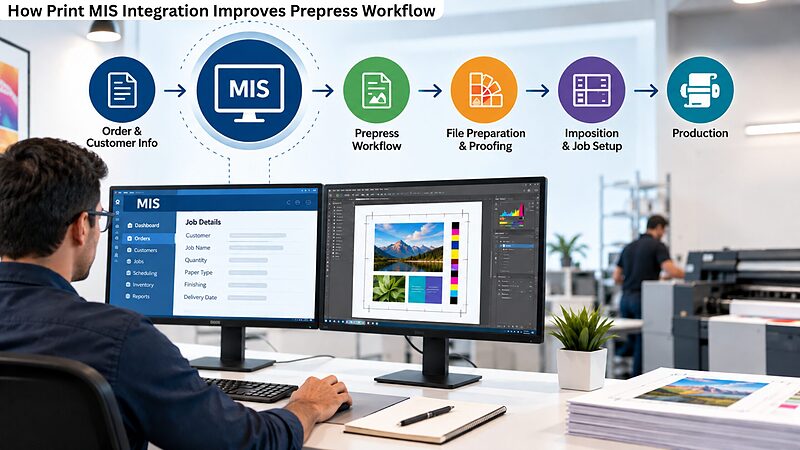
Know how print MIS integration improves prepress workflow. Learn the vital role a prepress service provider plays in improving print quality.
How Image Resolution Impacts Prepress and Print Results
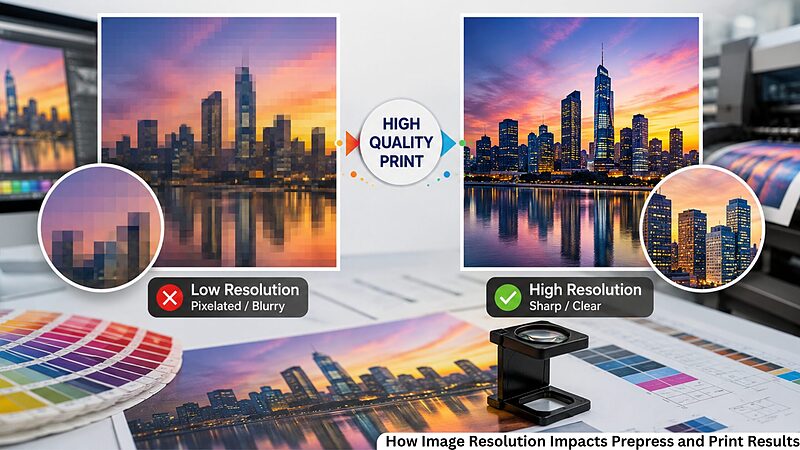
A designer's primary concern is to improve print quality and increase brand reputation through high-quality design. A pixelated product image, blurry logo, or fuzzy brochures can ruin any design, even if all other aspects of the work are done perfectly. Many problems with print jobs occur long before printing.
The main problem is poor image quality. Digital prepress services and image resolution for printing information can save you valuable time and money before submitting artwork to the press.
No matter what you create: marketing materials, a catalog, product packages, or business cards, proper image resolution allows you to receive high-quality prints while avoiding reprinting.
Adobe recommends placing raster images at 300 PPI at their final print size for high-quality commercial printing.
This blog examines how image resolution impacts prepress and print results.
Why Image Resolution Matters When Printing
Image resolution indicates the amount of information in a photo and is measured in DPI (Dots Per Inch). The number of printed dots per inch in a photo determines its resolution.
The higher the image resolution appears, the more detail the image contains, so your text will be sharper, the gradient will be smoother, and your pictures will be clearer. Low resolution often results in blurred edges, pixelation, and poor print output.
Although a low-resolution image looks good on a computer screen, when printed, all flaws become clear because printers reproduce much finer detail than digital displays do.
What Is DPI and How Does It Affect Print Quality?
Many people mix up screen and printer resolutions. Computer monitors display pictures at 72 to 96 DPI. For high-quality prints, most commercial printing projects are designed with images at 300 PPI for the final print size. It is necessary to use the correct DPI to get such prints:
Sharp pictures of the product.
Smooth gradient transitions.
Professional printed materials.
Sharper company logos.
Cleaner illustrations and graphics.
If the files are properly prepared from the outset, printers will have no difficulty reproducing the artwork without loss of quality.
Most Common Issues In Image Resolution During Prepress
There are many printing issues stemming from the customer's artwork. Even an attractive design can produce disappointing prints due to poor image quality. The most frequent problems are as follows:
Blurry Logos
Logos downloaded from websites are typically not of high enough quality for professional printing.
Pixelated Images
Images become blocky when small images are enlarged beyond their original size.
Rough Text In Raster Images
Text embedded in raster images may appear jagged.
Poor Color Detail
A product photo downloaded from a website may look sharp on a laptop, but when printed on a brochure, shadow details often disappear, and edges become noticeably pixelated.
Compressed Product Images
Images retrieved from messengers and social networking websites are typically compressed and have lower quality.
Image verification in the prepress stage helps identify such problems early in the process.
Raster Images Versus Vector Graphics
It is necessary to understand the difference between raster images and vector graphics for successful printing. Raster image formats include:
PSD
PNG
JPEG
TIFF
These images are made up of individual pixels. Enlarging them reduces raster image quality because the pixels become more noticeable.
Common Vector File Formats for Printing
AI
SVG
EPS
PDF from vector artwork.
Unlike pixel graphics, vector graphics use mathematical paths. You can scale icons, logos, and illustrations of any size without quality loss. For this reason, professional printers always prefer vector graphics for line artwork and graphics.
Why High-Resolution Artwork Is Important?
High-resolution artwork improves almost every aspect of commercial printing. There are some advantages, including:
Crisper images.
More accurate color reproduction.
Sharper fine details.
More satisfied customers.
Easier legibility.
Less downtime in production.
Excellent artwork improves the prepress printing stage by lessening the need for image corrections and helps the projects stay on schedule.
How Image Scaling Affects Print Quality?
One of the biggest mistakes designers make is enlarging small images. For example, a 600 x 600 pixel image printed at 2 inches may look excellent.
The same image enlarged to 8 inches will lose sharpness because the available pixels are stretched across a much larger area.
Proper image scaling ensures images retain sufficient pixel density at their final print size.
Instead of enlarging low-resolution files, designers should always begin with larger original images whenever possible.
What Makes a File Print-Ready?
To achieve a high-quality, uniform result from a printing press, it is necessary to send print-ready images. Print-ready images should normally contain:
The proper image resolution.
Fonts are embedded or outlined.
Color mode is correct.
Bleed settings are correct.
May have crop marks.
Exported to a PDF of the highest quality.
The steps drastically reduce production issues and improve the image quality.
Practical Example: Catalog Based On Web Images Of The Products
A catalog was prepared with product images obtained from the company website. Since all the images appeared fine on the computer screen, the catalog design was accepted on the first try.
Several images in the draft catalog were found to be of poor quality, as they were intended only for computer screens. Had the document been printed as it was, the catalog would have been full of blurry pictures, and that may have cost the company its brand reputation.
The prepress team asked for the original pictures used for the products. Low picture quality was compensated for by a preprint quality check. The final version of the catalog had excellent pictures that clearly presented the products, with all pictures of the same quality and color.
This simple correction prevented an expensive reprint while ensuring consistent image quality throughout the catalog.
How Modern Prepress Improves Image Quality
Automated diagnostics are important in a modern, pre-press workflow for detecting issues within images. Automated prepress software checks image resolution, missing fonts, color profiles, transparency, and bleed before files reach the press, helping identify costly problems early.
All these methods can prove that the artwork contains the essential requirements.
Tips For Better Commercial Print Quality
A few habits can make printouts even better:
Use your own original high-resolution photographs.
Save print-ready artwork.
Keep images saved at 300 PPI for commercial printing.
Do not steal logos from the Internet.
Save print-ready artwork.
Avoid enlarging low-resolution images beyond their original dimensions.
Do not submit artwork that has not been carefully proofed.
Always work with professional prepress consultants.
Using these habits over time will reduce print costs and improve print quality.
Achieve The Higher Print Quality Results With Proper Image Resolution
Outstanding printed materials begin with better-quality artwork. Choosing the correct image resolution and DPI ( Dots Per Inch), along with preparing high-resolution artwork, directly affects the finished result.
Correct image scaling for print and image checks helps ensure the artwork meets image resolution standards. Reliable digital services for your prepress file preparation and checks help ensure that images are print-ready and set an excellent standard for your brand, every image, every time.
Preparing Peel and Reveal Label Artwork For Error-Free Prepress Workflow
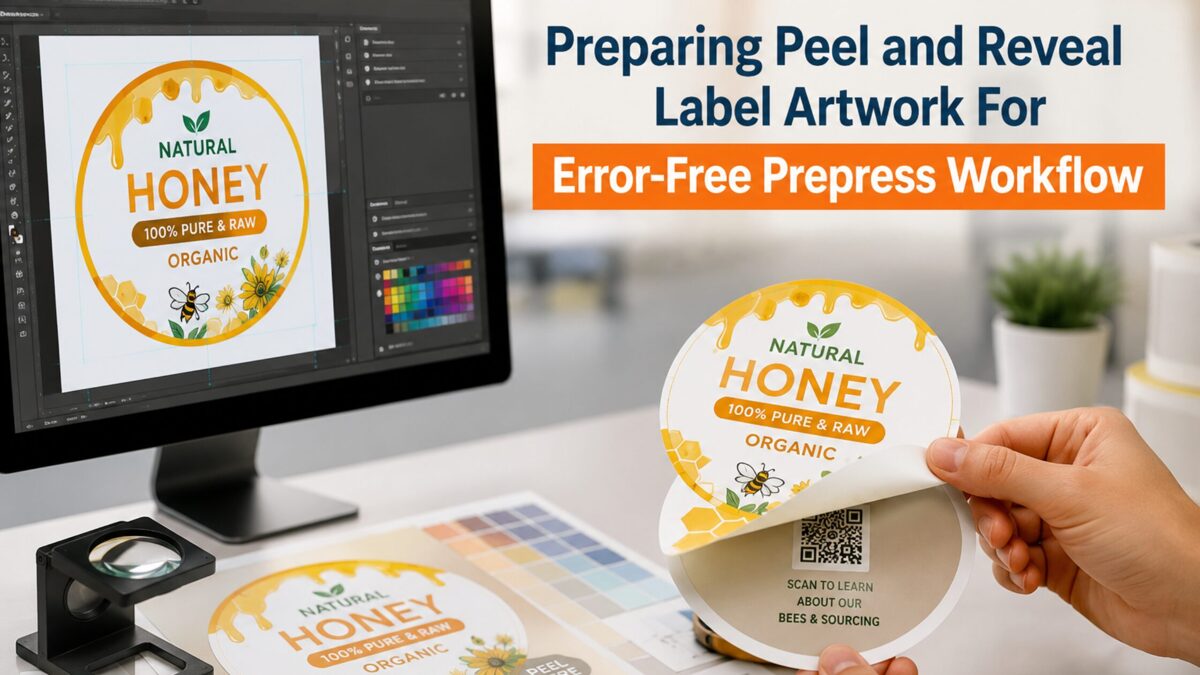
The ongoing adoption of modern tools and technologies in the printing industry enables designers to deliver high-quality print and label designs. The peel-and-reveal label may seem simple, but creating the right peel-and-reveal artwork for this type is quite complex. Any mistake in the file can lead to defects, delays, material losses, and increased printing costs.
That is why businesses turn to professional prepress services to ensure artwork is prepared correctly. No matter whether you produce pharmaceutical, food, cosmetic, or other industrial labels, accurate artwork preparation helps prevent errors and ensures proper label operation.
According to the Smithers report, the global label market is growing due to the emerging need for premium packaging and product information. This blog examines how to prepare peel-and-reveal label artwork for an error-free prepress workflow.
Why Peel and Reveal Labels Need To Be Treated Differently
Unlike conventional labels, print-and-reveal labels consist of several layers. These labels have extra space for product instructions, legal details, promotional information, safety notes, multilingual information, and more.
Peel-and-reveal labels must open and reseal repeatedly without damaging the printed layers.
Since the label has multiple layers, each part must line up properly. The graphics, text, adhesive areas, fold lines, and cutting lines all have to work together.
Even a minor alignment issue can cause the label to stop working properly. Artwork preparation for these labels is much more detailed than preparing a standard product label. Every artwork file should undergo a final technical review before production.
Multi-Layer Label Artwork
Proper creation of multi-layer label artwork starts with understanding how each layer interacts with the others. A standard peel-and-reveal label includes the following:
Protective varnishes or laminates.
Release coatings.
Base labels.
Adhesive areas.
Internal information panels.
An outer printable layer.
Each layer of a peel-and-reveal label serves a specific purpose. Designers should separate each layer, facilitating alignment of the final product after printing and converting. Otherwise, important information should become misplaced, hidden, or appear outside the visible area.
Begin With Proper Label Artwork Preparation
Successful label artwork preparation starts well before printing. Designers should gather all the necessary product information, including:
Brand logo.
Product information.
Regulatory information.
Safety instructions.
Multilingual content.
Barcode.
Promotional information.
After collecting the content, the layout should be planned according to the label dimensions and opening direction. Good planning helps reduce revisions and keeps the production process consistent from beginning to end.
Proper planning reduces revision cycles by finalizing fold locations, adhesive zones, and multilingual content before production.
Build an Effective Prepress Workflow
A well-organized prepress workflow helps identify potential problems before they become expensive printing errors. Different components of the artwork are analyzed during prepress. This process includes checking the fonts, layering, images, color settings, bleed, transparency, overprints, and more.
These components are verified individually before the production files are ready. An organized artwork workflow management also improves communication between prepress specialists, designers, and printers, helping prevent unnecessary delays.
Perform Dieline Verification
Dieline verification is one of the most important stages of prepress. The dieline defines where the label will be cut, peeled, folded, and finished. If the artwork extends beyond these boundaries, important graphics or text may be trimmed away.
Prepress specialists compare the artwork with the approved dieline to verify:
Bleed area
Safe zones
Fold lines
Cut lines
Peel direction.
Adhesive placement.
Even a dieline shift of just 0.5 millimeters has been known to cause adhesive exposure after conversion.
Create Print-Ready Label Files
Print-ready documents include everything the printing press can reproduce without further editing, such as graphics, fonts, pictures, colors, bleed, and dielines.
Files prepared for printing, put the images in a specific arrangement.
Printing of the image does not begin until the customer approves the artwork. Visit a commercial printer to understand the importance of printing and packaging.
Making files printable reduces the risk of unexpected failures that delay printing.
Complete Thorough Label Preflight Checks
A single overlooked mistake can affect thousands of printed labels. That is why label preflight checks are essential before artwork is sent to the printer. During preflight, technicians verify:
Low-resolution images.
Missing fonts.
Hidden objects.
Layer conflicts.
Overprint settings.
Incorrect color mode.
Incorrect page size.
Image links.
Identifying these issues during preflight will help optimize your time and the print budget.
Manage Color Separation For Labels
Color consistency is an important part of product packaging. Consistent color separation for labels ensures that every printing plate reproduces colors accurately throughout the production run.
Prepress specialists divide:
Spot colors.
Brand colors.
Standard colors.
Specialty coatings.
Metallic inks.
Separation of brand colors enables specialists to ensure brand recognition on printed labels. This is more necessary for certain products, such as pharma and cosmetics. In those products, color alignment can also satisfy some compliance regulations.
Complete White Ink Layer Setup Properly
Many premium labels are printed on transparent, metallic, or colored materials. These applications require an accurate white ink layer setup.
White ink printed first lays a foundation for color on top and adds contrast to the overall print. Misplacement of white ink leads to several problems, such as:
Reduced opacity.
Colors distortion.
Difficulty in reading text.
Less defined graphics and typography.
Prepress operators separate white ink into its own layer and check for trapping, alignment, and coverage before the production stage. This simple process greatly improves overall print quality.
Focusing On Packaging Artwork Preparation
Label printing should always be considered part of the complete packaging artwork preparation process. A label must be congruent with carton graphics and flexible packaging, as well as brand guidelines, applicable regulations, and product specifications.
All consistent packaging looks professional and builds customer trust. Prepress teams have to check many packaging components to ensure they use the same colors, text, and branding styles as the packaging for the rest of the product line.
Common Artwork Mistakes To Avoid
Even experienced designers can make mistakes that create production problems. Here are some of the most frequent problems:
Naming layers incorrectly.
Peel panels are arranged incorrectly.
Misaligned sections.
No bleed included.
Low-resolution or blurred images.
Incorrect typography.
Inadequate clearance.
The layout is overcrowded.
Unreadable barcodes.
Incorrect adhesive placement.
A thorough examination of each file before submitting it is important to prevent revisions and delays in production.
Why Professional Prepress Is Important?
Peel-and-reveal labels involve much greater technical complexity than standard product labels. Professional prepress specialists understand printing requirements that may not be obvious during the design process.
Their experience will help identify problems that may have been overlooked, ensuring an easier printing process, reduced material waste, and higher-quality label printing.
Moreover, working with prepress professionals will speed up the approval process because the files are well-prepared for printing.
Get Engaging Product Label Design By Using Prepress Services
Due to the complexity of peel-and-reveal label design, with multiple printed layers, adhesives, and moving parts, even minor artwork mistakes can affect usability. Taking the time to perform proper prepress checks will help avoid production problems and wastage.
Cooperation with professional prepress solutions and services will help companies produce accurate print-ready files, avoid production errors, improve print quality, and ensure that all peel-and-reveal labels perform as expected.
The Role Of Imposition and Nesting In Print-Ready File Preparation
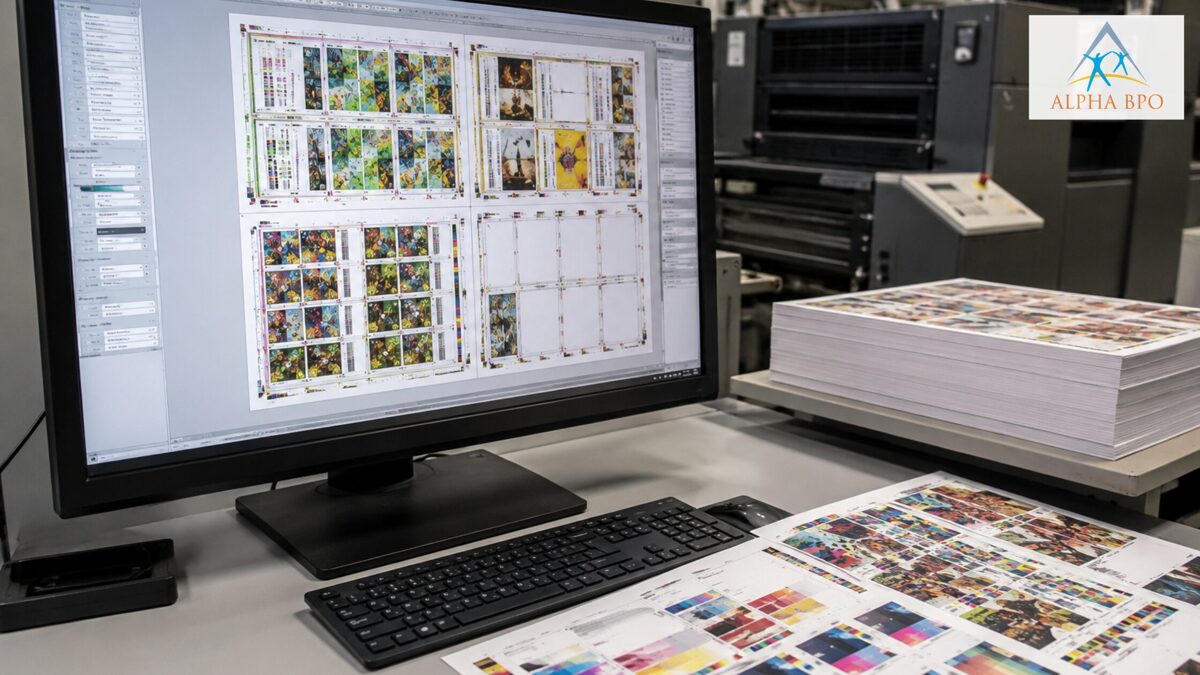
A single file preparation mistake can delay production, increase material costs, and force expensive reprints. Yet many printing issues originate long before a press starts running.
But has there ever been a situation where you sent a design file for printing and then faced misalignment, production delays, or unnecessary material waste? In many cases, such problems occur much earlier, during file preparation. While many businesses allocate remarkable funds for their marketing materials and design solutions, the importance of prepress services is often overlooked. But preparing accurate print-ready files and optimizing them are essential steps for efficient printing, and imposition and nesting processes play a key role in the prepress workflow.
File preparation benefits go far beyond making sure the printout looks great. They can improve speed, reduce material waste and cost, simplify the process, and make print project execution much easier. As shown in studies focusing on waste reduction in the printing industry, paper accounts for around 30% of production costs. This article highlights the importance of imposition and nesting in efficient printing.What Does It Mean For A File To Be Print-Ready?
Before discussing imposition and nesting processes, it is essential to understand what print-ready files are. In general, print-ready files have all the specifications necessary for efficient printing. In particular, they have accurate dimensions, color profile, bleed specifications, crop marks, resolution, and fonts. With such parameters, a printer can start working without wasting too much time on file preparation.
Perfect file preparation is only a part of the process. Before printing, the layout must be optimized. At this stage, imposition and nesting come into play.
What Is Imposition?
Imposition refers to the process of placing print pages on a single sheet so that, after folding, printing, cutting, and binding, they can be found in the right order.
For example, multiple pages of a 16-page brochure are printed on a single sheet as a block. After that, the block is cut, folded, and bound; that section will be in the correct order. Incorrect page imposition results in improper page placement, page numbering problems, or even mistakes in binding.
The Importance of the Proper Imposition ProcessImposition in prepress has several functions, including:
Efficient page sequence arrangement.
Reduction of printing errors.
Improved speed of finishing operations.
Better sheet utilization.
Lowering the printing costs.
What Is Nesting In Printing?
Whereas imposition concerns the order of pages, nesting is the practice of placing multiple items on a single sheet to maximize available space.
Nesting is like the world’s most efficient puzzle. It can be done by adhering to rules to find and fit all sections of a sheet with the least amount of space. Today, modern nesting software can calculate the best layout of items based on existing artwork.
Benefits Of Effective Nesting
By applying optimal nesting, businesses can gain the following:
Lower material consumption;
Improved use of the material;
Quick production schedule organization;
Reduced operation costs.
Higher profit margin.
Merging Imposition and Nesting Processes
While they have many distinctions, these processes often co-occur in contemporary printing.
Organizing pages for printing is done via imposition, whereas nesting relates to the efficient use and optimization of available materials.
In combination, these prepress processes can be used for:
Improving print production efficiency.
Better print layout optimization.
Reducing production waste.
Producing high-quality prints.
Increasing speed of job completion.
Media Waste Reduction Through Optimization Of File Preparation
One of the main sources of waste is improper file preparation. Due to poor file preparation, extra paper may be required, and the job may need to be repeated, resulting in additional production costs.
Imposition and nesting processes help minimize media waste by providing precise layouts and optimized sheet utilization.
Print providers can significantly enhance media waste reduction activities without lowering quality.
This process reduces operational expenses and helps companies achieve their environmental objectives.
The Importance Of Automated File Preparation
You cannot have a modern printing environment without automated file preparation systems. Manual labor is lessened with automation. The quality of the work and the consistency across projects have greatly improved. Among other things, today’s automated tools can:
Optimize production parameters.
Check print specifications.
Detect file mistakes.
Create nesting layouts.
Organize imposition layouts.
Industries That Can Take Advantage Of Imposition and Nesting
These techniques are extensively used in many industries.
Labels
An effective nesting process helps fit more labels per sheet, thereby increasing profits.
Large Format Printing
Large-format printing requires specialized nesting software because shapes are more complex.
Production of Packaging
Nesting is widely used in packaging production.
Commercial Printing Services
Printing catalogs, books, magazines, and brochures requires the proper imposition.
How To Prepare Print-Ready Files For Successful Printing Projects
To receive more value from imposition and nesting, you should consider several tips:
Apply Automation
Modern tools improve the efficiency of the print preparation process and reduce errors associated with routine labor.
Provide Precise Source Files
Make sure your artwork was created using the correct colors, dimensions, and resolution.
Specify Correct Bleeds and Margins
Correct bleed specifications minimize problems related to trimming.
Take Advantage Of Professional Prepress Services
Expert prepress operators can help optimize files for a specific printing method.
Check Proofs
Despite the automation, proofing helps detect potential problems before printing.
Achieve The Higher Precision And Design Quality With Digital Prepress Services
File preparation for printing involves more than simply creating a PDF. Behind each print job is a comprehensive prepress workflow that includes many actions aimed at improving print production efficiency, saving money, and eliminating problems. The process of imposition and nesting makes an important contribution to the above objective.
With the development of printing technologies, it is increasingly important for companies to use effective prepress workflows, file preparation practices, and tools. With their help, businesses can improve their print production operations and the quality of the final product. Working with a company that offers digital prepress services can be highly beneficial for printing packages, brochures, labels, and wide-format graphics.
Automated prepress workflows, accurate file preparation, optimized imposition and nesting processes all deliver a substantial return on investment. It is due to reducing waste, improving output quality, and increasing profitability for all print operations.
Printing Proofs: Soft Proofing vs Hard Proofing: When To Use Each?
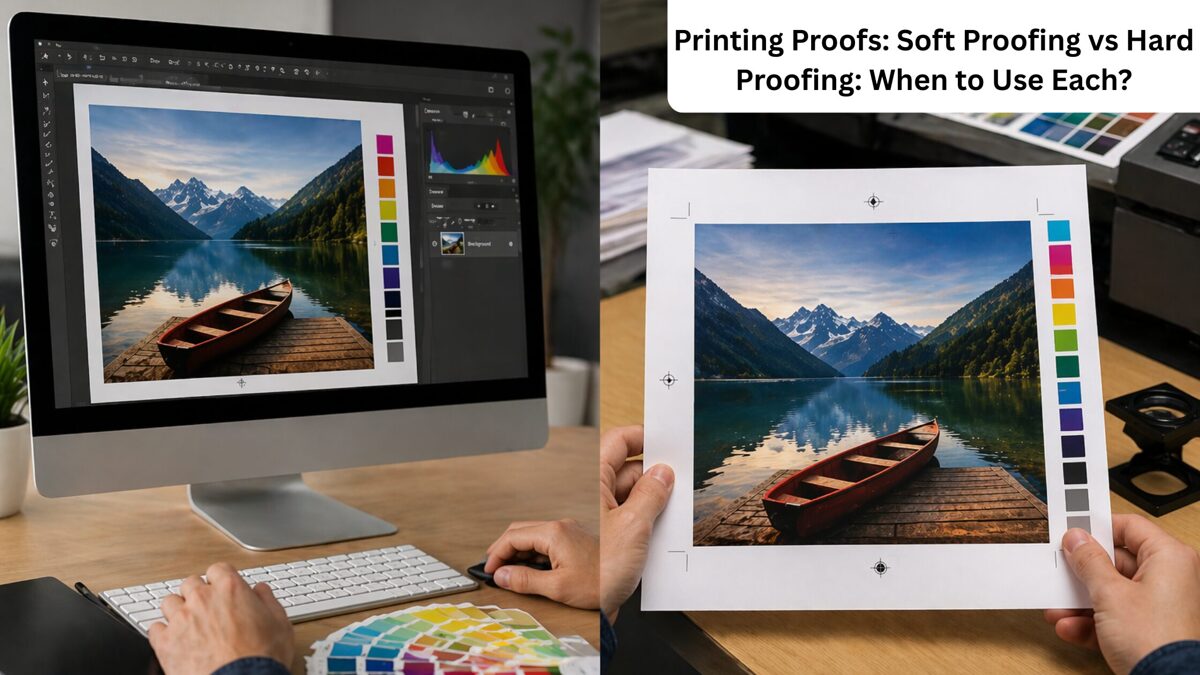
Few things are more frustrating than approving a design on screen and receiving a printed version with completely different colors. It often happens when businesses skip the proofing stage before print production.
Have you already approved the design on screen, only to receive it printed and find that the colors were completely different? Such things happen more than once when prepress printing, especially when companies skip the proofing stage.
Knowing the difference between hard proofing and soft proofing can help you save your precious time and avoid expensive mistakes, additional costs, and material loss. Printing mistakes can lead to expensive reprints, wasted materials, and project delays.
No matter what material you print, such as packages, catalogs, brochures, and more, the choice of the right proofing is important. Both hard and soft proofs can be beneficial, but choosing the wrong proofing method can lead to unnecessary costs or disappointing print results. This blog discusses the differences between hard proofing and soft proofing, and the ideal time to use each.
What Is Soft Proofing?
Soft proofing refers to viewing the electronic version of the design before its print. People who need to check the design for correctness can use it. Usually, soft proofing is used by printers, designers, and clients to assess layout, text placement, color, and other design elements.
The reasons to use soft proofing include its convenience, speed, and cost-efficiency. Being electronic, soft proofs help people save money and make design changes as needed without additional printing.
Advantages Of Soft Proofing
Speedy review process.
Ease of showing the design to clients and other persons.
Low costs because there are no material costs.
Quick editing and updating options.
A unique opportunity to check alignments, spelling, and design.
Such proofing is beneficial for projects that require editing and revisions.
What Is Hard Proofing?
Hard proofing means the printed sample of the design is reviewed before it is printed in full. That means that the future printed piece of paper is created beforehand.
Compared to soft proofing, the main advantage of the second method is that you can see the CMYK colors, the paper quality, and the finishing features of your product.
Advantages Of Hard Proofing
A realistic sample of the printed product
Ability to control paper quality and finishing
Greater color accuracy
Reduced risks of expensive errors
Possibility to approve the design before printing a large quantity of materials
Useful for high-value printed products such as catalogs, packaging, luxury brochures, and more.
Hard Proofing vs Soft Proofing: Comparison
When comparing hard vs soft proofing, the first difference is the format. Thus, soft proofs are electronic, and hard proofs are printed. Another difference concerns speed and price.
Thus, soft proofing is cheaper and faster than the second kind of proofing. Nevertheless, hard proofing is more accurate.
Here is a table outlining several differences to help you make the right decision.
Feature | Soft Proofing | Hard Proofing |
Format | Digital screen | Printed Copy |
Cost | Low | Higher |
Speed | Fast | Slower |
Colour Accuracy | Limited by screen settings | More Accurate |
Paper review | Not possible | Possible |
Best Use | Early Revisions | Final Approval |
The table above highlights key differences between hard and soft proofing to help you decide which proofing method to use.
When To Use Soft Proofing?
If you need instant feedback, you must use soft proofing. Soft proofs are useful when it comes to:
Viewing spellings and alignments.
Social media graphics.
Reviewing the early draft of the design.
Collaborating with the team.
Reviewing digital ads.
Getting feedback from the clients.
Small print projects with flexible requirements for colors.
For instance, if a company needs to design a brochure for an upcoming event, soft proofing can be helpful, as people can make several amendments before final approval.
When To Use Hard Printing?
It is wise to select hard printing when the color accuracy is crucial for the project. Hard proofs can be useful for:
Big prints.
Products that are related to brands.
Packaging design.
Product labels.
Luxury brochures.
Magazines and catalogs.
For example, if a cosmetics company plans to create luxury packaging for its products, it is vital to know the color that will be printed on it. In such a case, it is necessary to check whether the colors match before printing hundreds of units.
Soft Proofing and Hard Proofing Together
It is unnecessary to select a single proofing method. In most cases, it is beneficial to use both soft and hard proofing. For instance, you can make the early drafts with the help of soft proofing.
Once the design is ready, create a printed sample and check it carefully. In this way, a business can save time during the initial design stage while ensuring the final print is perfect.
Primary Mistakes To Avoid
When dealing with printing proofing, you should be careful not to fall into these problems:
Depending on your computer or other device, the final print will differ from what you see on your display.
Not using hard proofing for printing when it is critical.
Neglecting to calibrate displays used for soft proofing.
Make The Final Selection Of Prepress Printing Proofs Based On Your Project Needs
Knowing the difference between hard proofing and soft proofing can help you make the right decisions when printing. The first method is more convenient and faster. However, if you are interested in color accuracy, it is better to use hard proofs.
Nevertheless, depending on your primary needs and preferences, you should use both types of proofing. Thus, cooperation with prepress printing services will let you avoid problems.
XML vs HTML: What’s Better For Structured Publishing
For most website developers, deciding between XML and HTML for publishing data and content online is challenging. However, enterprises handle large volumes of digital information that should be managed, stored, organized, and published effectively in a demanding content-driven environment.
Structured publishing plays a decisive role in managing content across different platforms, ranging from technical manuals and books to research documents and product catalogs. Selecting the right format is necessary for long-term usability.
Many institutions rely on professional XML conversion services to prepare their content for structured publishing, but HTML is also widely used as a markup language. Understanding the differences between XML and HTML can help you decide which option fits your publishing needs. This blog provides a clear idea about choosing HTML and XML for structured publishing.
The Significance Of Structured Publishing
A structured publishing process focuses on organizing content in a unique way that separates information from its design. Rather than developing separate versions for mobile, web, and print, structured content lets you organize information once and publish it across different formats.
This proactive approach increases uniformity, reduces manual work, and makes content easier to update. For this reason, both XML and HTML support digital publishing, but they serve different purposes and provide different levels of control.
A Brief Overview of XML
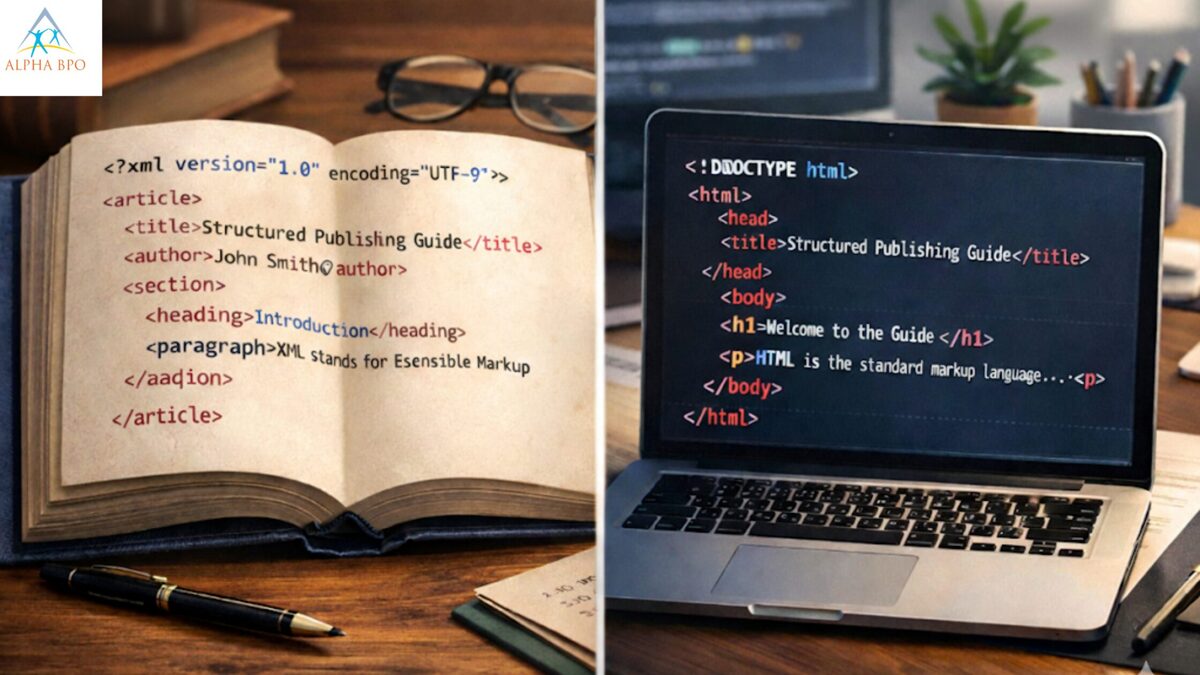
Extensible markup language, or XML, is designed to securely store and transport data in a structured and meaningful way. Unlike HTML, XML does not focus on the appearance of content. Instead, it defines what the content represents.
You can develop custom XML tags that perfectly describe the structure of your content. For instance, tags can identify titles, product specifications, chapters, or author details. This process makes XML highly flexible and suitable for difficult publishing projects.
One of the remarkable benefits of XML is its support for content reuse. A single XML file can be converted into multiple formats using data conversion services, including web pages, ebooks, PDFs, and mobile layouts.
This function makes it a strong choice for organizations that handle large content libraries and require frequent updates. Enterprises often use XML data conversion to turn existing documents into structured XML files. After conversion, the content becomes easier to find, search, manage, and repurpose across different platforms.
A Short Insight Into HTML
HyperText Markup Language, or HTML, is the standard language used to develop web pages. Its primary purpose is to display content in a browser and control how that content appears to users. The HTML uses predefined tags to structure texts, images, multimedia elements, and links.
This markup language focuses on presentation and layout instead of detailed content structure. For example, HTML defines tables, headings, and paragraphs, but it does not provide detailed meaning about the information itself.
HTML works well for online content and websites where user experience and visual presentations are the primary priorities. It is widely supported, simple to use, and ideal for publishing content that does not need complex structuring.
Primary Parameters Of Differences Between HTML and XML
Flexibility
XML enables you to develop custom tags according to your content requirements. This flexibility makes it a suitable option across multiple industries, including technical documentation, manufacturing, publishing, legal services, and healthcare. In contrast, HTML uses fixed tags, which limit its ability to represent complex data structures.
Function and Purpose
The most critical difference between HTML and XML lies in their purposes. HTML is created to display content, whereas XML is especially designed to organize and store data.
XML is the better option if your primary objective is multiple-channel publishing and structured content management. HTML format works perfectly when you only need to highlight content on a website.
Maintenance And Updates
Updating XML content becomes easier because the structure is distinct from the design. Changes can be made once and applied across all formats. HTML updates often require editing individual pages, which can take longer when managing large volumes of content.
Content Reusability
XML supports content reuse across different formats, which increases your business efficiency. After the content is stored in XML, it can be converted into different outputs without rewriting it. On the contrary, HTML content is typically created for a single purpose and often needs manual changes for different platforms.
When To Select XML For Structured Publishing
XML is a strong option when your organization handles large amounts of content that need to be published, reused, and updated across multiple channels. This format is especially useful for multiple things, such as:
Compliance and legal documents.
Digital publishing and eBook.
Technical Documentation.
Product catalogs and manuals.
Academic and research publishing.
Many companies thoughtfully invest in conversion to XML format to modernize their content workflows. Structured XML helps improve uniformity, reduce errors, and support long-term content management.
When HTML Is The Better Option
HTML is ideal for critical situations where the primary objective is to showcase information online rather than managing large content volumes. It works best for different tasks, such as:
Simple articles and web-based resources.
Blogs and website pages.
Marketing content and landing pages.
For institutions that want to publish content on the web only and do not require multi-format output, HTML is an effective, simple solution.
The Decisive Role Of Professional Conversion Solutions
Many businesses already have content stored in secure Word files, outdated legacy systems, and PDFs. Manually converting this content to XML or HTML can be time-consuming and error-prone.
Professional data conversion services help institutions efficiently process large volumes of content while maintaining accuracy and structure. These services support different formats and confirm that creative content meets higher publishing standards.
If you need document conversion for web publishing and structured XML for multi-channel distribution, professional, customizable solutions can align the process and minimize operational efforts.
Find The Perfect Selection For Structured Publishing Between XML and HTML Using XML Conversion Services
Both XML and HTML play vital roles in digital publishing, but they serve different requirements. HTML is the perfect choice for presenting content online. In contrast, XML offers a powerful solution for structured publishing, content reuse, and multiple platform distribution.
If your institution manages large volumes of information or plans to deliver content across different channels, XML offers long-term value and greater flexibility. Partnering with trustworthy data conversion services can further simplify the movement by confirming your content is accurately uniform, structured, and ready for scalable publishing. By selecting the right format and support, you can develop a workflow that is efficient, easy to manage, and future-ready as your content grows.Common File Problems Found In Prepress Workflows
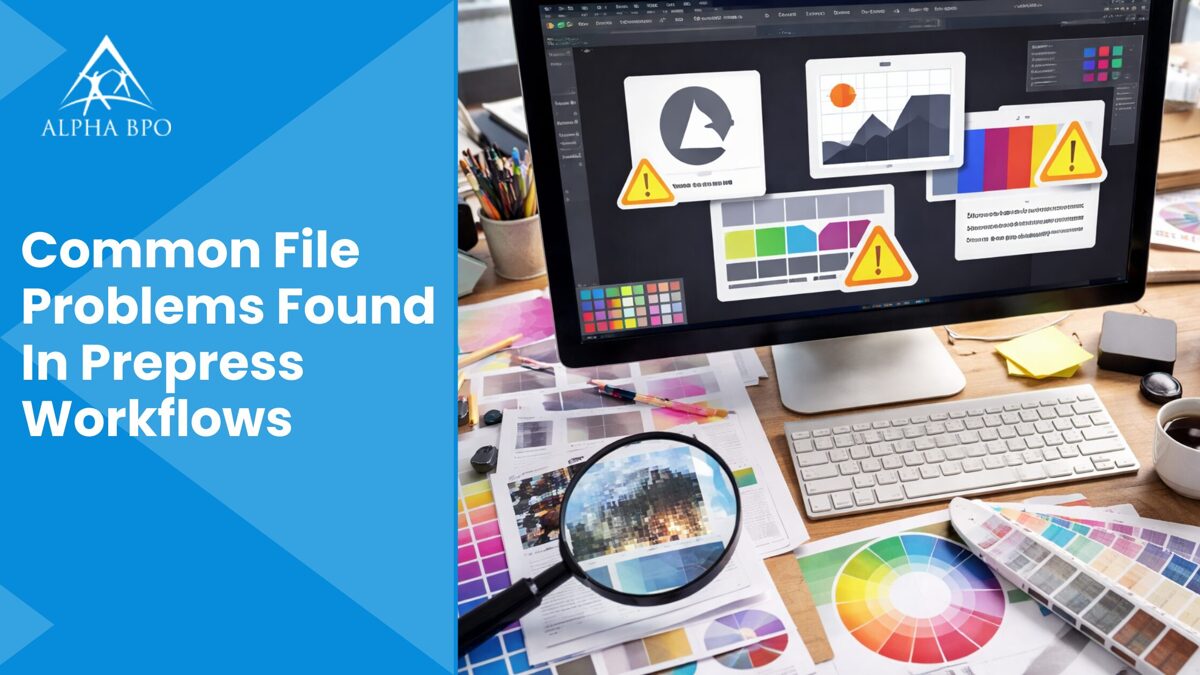
Many businesses and organizations rely on prepress workflows to further process digital designs before printing. In this regard, prepress is the stage where ideas become print-ready files. The complete process looks easy from the outside, but experienced professionals working behind the scenes know how many things can go wrong before a print job reaches the press. Even a minor file error can cause costly reprints, delays, or quality issues.
Understanding common file issues in prepress workflows helps printers, marketers, and designers avoid costly mistakes while using professional prepress services to achieve better results. This blog highlights the common file issues encountered during prepress activities.
A Complete List Of File Issues In Prepress Operations
Font Problems That Change Your Design at Print Time
The most frequent issue in prepress work is missing fonts. A file may look perfect on the designer's system, but appear completely different when opened elsewhere. This process occurs primarily when fonts are not properly outlined or embedded.
For example, using packaging files or standard fonts correctly can avoid this serious problem. If you work with Adobe InDesign, always use the package feature before sharing files. This process ensures images, fonts, and links transfer together by minimizing the risk of unexpected font replacements.
Bleed and Trim Errors That Cause Costly Reprints
Information like bleed and trim settings is a minor detail with significant results. White edges on the design may appear after trimming due to insufficient bleed. Also, incorrect trim marks can confuse the printer and cause misaligned cuts.
It is recommended to always set bleed values according to the printer's specifications and to double-check trim marks carefully. Various professional designers rely on InDesign templates that already contain bleed settings and the correct margin. This simple practice helps avoid last-minute corrections and ensures greater accuracy throughout the prepress process.
Incorrect Color Modes
High-end color issues can lead to significant disappointment if not appropriately handled. A variety of files created in RGB format may appear vibrant and dynamic on screen, but print with dull or unexpected colors. Always print in CMYK color mode. It becomes necessary to convert colors correctly and review proofs carefully before sending files to print.
Spot colors should be clearly defined and used only when necessary. A well-organized color process during prepress printing ensures color consistency, decreases errors, and helps meet client expectations.
Broken Image Links That Delay Production
Missing or broken image links are a common cause of delays in prepress workflows. When the files are renamed or moved, links can fail without warning. Update and relink all images before final submission.
Packaging the file during prepress printing is again a best practice because it consolidates all linked assets into a single folder. This process ensures the printer receives everything required for smooth production.
Transparency and Overprint Mistakes That Lead to Misprints
Overprint settings can yield unexpected results if not carefully reviewed. Objects or text set to overprint may disappear or integrate strangely with background colors. Similarly, transparency effects can cause problems during the flattening process when not handled correctly. To achieve perfect results, it is necessary to preview overprint settings and flatten transparency as required, using professional prepress services.
These checks help ensure the final output matches the needed design and prevent misprints on press.
Low-Resolution Images That Reduce Print Quality
Low-resolution images are another primary concern while preparing files for large-format printing. Images that appear perfect on screen may look pixelated or blurry once printed, impacting overall print quality.
This process primarily occurs when a variety of web images are used rather than print-ready files. Images should generally be 300 DPI at the final size for high-quality print output.
Scaling up small images can decrease their clarity. So, it is best to place images at the correct size from the start. A reliable printing identifies these issues, but identifying them early saves time and frustration.
Incorrect Orientation or Page Size
Another common issue in prepress workflows is incorrect page size or orientation. Files may be designed with inconsistent page settings or inaccurate dimensions. This process primarily increases the printers' setup time.
It is best practice to confirm the final trim size before starting a project. Consistent page settings throughout the document during prepress services help prepress teams process files more efficiently and reduce the risk of issues.
Absence Of Preflight Checks During Prepress Printing
Skipping preflight checks in prepress printing is a significant cause of problems. Reliable preflight tools identify critical issues, such as missing fonts, low-resolution images, and color mismatches, before files in prepress workflows reach the printer.
Many experienced designers rely on built-in preflight functions or professional review services. An editorial designer working on books or magazines knows the value of a complete preflight, especially when handling large documents with many linked elements.
Why Prepress Review Matters The Most In Prepress Workflows?
Prepress is more about resolving errors. It is about protecting budgets, quality, and timelines. A careful review confirms that the files meet the desired technical standards and print exactly as expected.
Working with experienced teams and following best practices during prepress printing helps decrease revisions and build customer trust. Clear interaction between designers and printers plays a substantial role in successful results.
Gain The Maximum Design Accuracy By Preventing File Problems In Prepress Workflows
File issues in prepress work are common, but most of them can be avoided withthe right approach. Paying close attention to colors, fonts, images, and layout details makes a noticeable difference in overall print quality and supports smooth prepress printing.
Simple habits such as using proper templates, running preflight checks, and packaging files correctly can save hours of rework. By understanding common prepress problems and preparing files with care, enterprises and designers can achieve smoother production and uniformly better results. A small amount of additional effort during file setup goes a long way in delivering printed files that look polished, precise, and professional.
The Role Of Packaging In Brand Identity
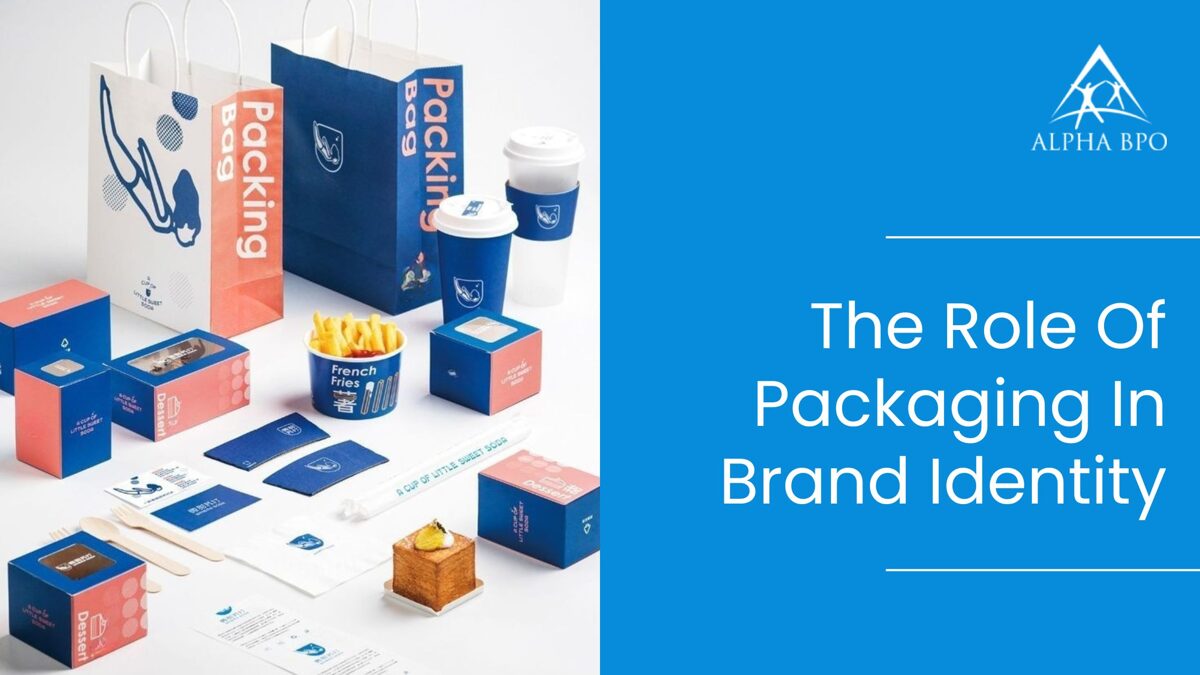
As advanced manufacturing and packaging techniques and tools become increasingly adopted, businesses rely on them to enhance their brand presence. However, in today's competitive marketplace, product packaging is more than a protective layer.
It becomes the first interaction a client has with a brand, shaping expectations and emotions before the product is even used. When supported by professional prepress printing services, packaging becomes a valuable tool for consistently and clearly communicating brand identity.
From typography and colors to finishes and materials, thoughtful packaging helps popular brands stand out and create a lasting impression.
Reasons Why Packaging Matters More Than Ever
Numerous choices surround modern consumers. Whether on an online listing or crowded shelves, product packaging helps capture attention in a fraction of a second. Strong brand packaging helps clients quickly identify a product and link it with trust, quality, and innovation.
This immediate connection supports brand recognition and influences how a product is recognized compared to competitors. Packaging and branding work together to tell a story. When messaging, visuals, and structure align with the brand's values, a prepress services provider helps create packaging that becomes an extension of the brand, rather than just a marketing strategy.
Packaging As A Visual Representation Of The Brand
Packaging is primarily described as a silent salesperson. Without saying a word, it communicates the brand's personality.
Minimal designs mainly convey elegance and experience, while graphics and bold colors can convey energy and creativity.
Every design choice contributes to the brand image clients form in their minds. Regular packaging design across all products also strengthens brand recognition.
Advanced printing software is used to translate creative packaging ideas into physical form. When customers can instantly identify your product from a distance, it indicates that your brand identity is clear and well-defined. Over time, this regularity develops trust and familiarity.
The Emotional Impact Of The Product Unboxing Experience
The unboxing experience has become a core part of client engagement, especially in the e-commerce industry. Opening a product package should feel intentional and satisfying. Thoughtful details such as a neat presentation, high-quality materials, and clear labeling can turn a simple product delivery into a memorable experience.
A complete positive unboxing experience encourages customers to share their product purchase on popular social media platforms, creating organic visibility for the brand. This basic emotional connection primarily drives repeat purchases and strengthens the brand-customer bond.
Protecting The Product While Improving Perception
While aesthetics and design are necessary, engaging packaging also protects the product. Accidental damage during transportation can erode customer trust and adversely affect purchasing decisions. Reliable, strong product packaging ensures items arrive in excellent condition, reflecting the brand's commitment to quality.
Professional prepress services ensure businesses receive packaging that protects the product, maintains visual appeal, and conveys professionalism. Customers relate well-designed, sturdy packaging with utmost care and product reliability, strengthening the brand's identity as trustworthy and customer-focused.
The Pivotal Role Of Precision and Quality In Product Packaging
Accuracy and precision are vital in packaging production. Errors in colors, text, or alignment during prepress printing services can weaken brand credibility. High-quality printing software and finishing operations help ensure product packaging is consistent and error-free across batches.
In this regard, it is the perfect area where automated quality control and advanced processes play a decisive role. Clean typography, clear graphics, and precise color matching are all parameters that will contribute to a polished final product.
When product packaging is consistent and professional, customers are more likely to trust the brand.
Packaging and Product Purchasing Decisions
Packaging has a direct impact on product purchasing decisions, more than brands realize. Clients frequently judge a product by its engaging packaging before trying it. Clear information, practical design elements, and attractive visuals help potential customers feel confident about their primary selection.
Well-designed packaging also communicates value. A professional prepress service provider enables brands to use premium materials and finishes, which can justify higher pricing. Instead, simple, practical packaging may attract budget-conscious buyers.
In both practical cases, engaging product packaging helps guide customers toward the product that feels right for them.
Creating Long-Term Brand Value Through Packaging
Product packaging becomes a familiar part of the brand's identity over time. Potential customers begin associating specific shapes, colors, or textures with the brand's identity. This familiarity builds loyalty and makes it easier for brands to introduce new popular products under the same visual system.
Investing in thoughtful and consistent product packaging design supports long-term brand growth. It ensures that each product launch is successful through effective prepress services and stays aligned with the brand's core values, while still leaving room for innovation and creativity.
Boost Brand Identity Using Professional Prepress Printing Services In Product Packaging
Packaging plays a decisive role in transforming how clients see and experience a brand. The process supports widespread brand recognition, improves the unboxing experience, and helps secure the product while spreading quality and trust.
When a reliable prepress service provider supports functionality, accuracy, and design, product packaging becomes a decisive brand advantage rather than a necessity. For many brands and businesses looking to strengthen their brand image, focusing on packaging is necessary.
The process is a strategic decision that impacts client perception, builds emotional connections, and supports lasting success in a competitive market.