
How Image Resolution Impacts Prepress and Print Results
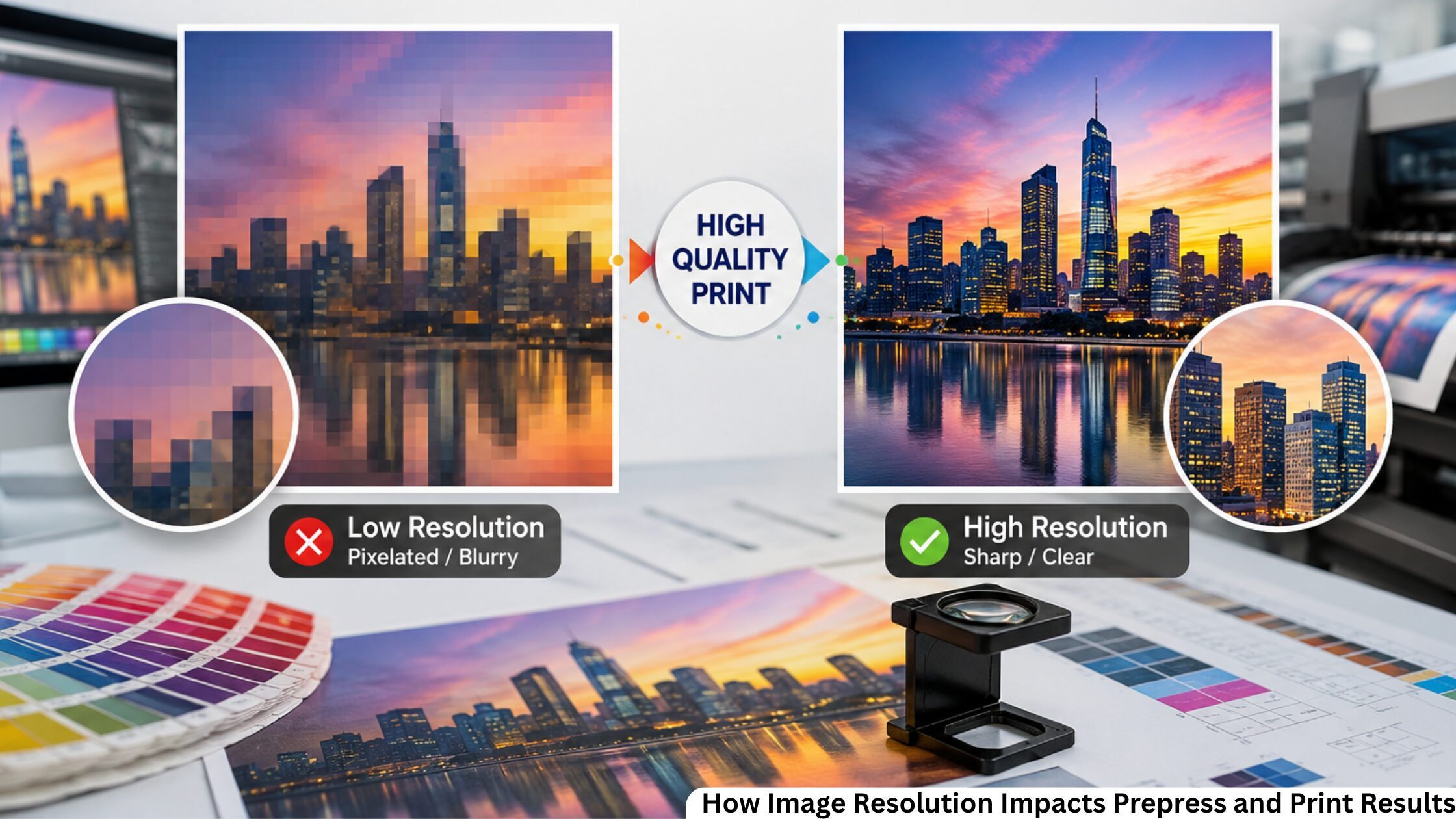
A designer's primary concern is to improve print quality and increase brand reputation through high-quality design. A pixelated product image, blurry logo, or fuzzy brochures can ruin any design, even if all other aspects of the work are done perfectly. Many problems with print jobs occur long before printing.
The main problem is poor image quality. Digital prepress services and image resolution for printing information can save you valuable time and money before submitting artwork to the press.
No matter what you create: marketing materials, a catalog, product packages, or business cards, proper image resolution allows you to receive high-quality prints while avoiding reprinting.
Adobe recommends placing raster images at 300 PPI at their final print size for high-quality commercial printing.
This blog examines how image resolution impacts prepress and print results.
Why Image Resolution Matters When Printing
Image resolution indicates the amount of information in a photo and is measured in DPI (Dots Per Inch). The number of printed dots per inch in a photo determines its resolution.
The higher the image resolution appears, the more detail the image contains, so your text will be sharper, the gradient will be smoother, and your pictures will be clearer. Low resolution often results in blurred edges, pixelation, and poor print output.
Although a low-resolution image looks good on a computer screen, when printed, all flaws become clear because printers reproduce much finer detail than digital displays do.
What Is DPI and How Does It Affect Print Quality?
Many people mix up screen and printer resolutions. Computer monitors display pictures at 72 to 96 DPI. For high-quality prints, most commercial printing projects are designed with images at 300 PPI for the final print size. It is necessary to use the correct DPI to get such prints:
Sharp pictures of the product.
Smooth gradient transitions.
Professional printed materials.
Sharper company logos.
Cleaner illustrations and graphics.
If the files are properly prepared from the outset, printers will have no difficulty reproducing the artwork without loss of quality.
Most Common Issues In Image Resolution During Prepress
There are many printing issues stemming from the customer's artwork. Even an attractive design can produce disappointing prints due to poor image quality. The most frequent problems are as follows:
Blurry Logos
Logos downloaded from websites are typically not of high enough quality for professional printing.
Pixelated Images
Images become blocky when small images are enlarged beyond their original size.
Rough Text In Raster Images
Text embedded in raster images may appear jagged.
Poor Color Detail
A product photo downloaded from a website may look sharp on a laptop, but when printed on a brochure, shadow details often disappear, and edges become noticeably pixelated.
Compressed Product Images
Images retrieved from messengers and social networking websites are typically compressed and have lower quality.
Image verification in the prepress stage helps identify such problems early in the process.
Raster Images Versus Vector Graphics
It is necessary to understand the difference between raster images and vector graphics for successful printing. Raster image formats include:
PSD
PNG
JPEG
TIFF
These images are made up of individual pixels. Enlarging them reduces raster image quality because the pixels become more noticeable.
Common Vector File Formats for Printing
AI
SVG
EPS
PDF from vector artwork.
Unlike pixel graphics, vector graphics use mathematical paths. You can scale icons, logos, and illustrations of any size without quality loss. For this reason, professional printers always prefer vector graphics for line artwork and graphics.
Why High-Resolution Artwork Is Important?
High-resolution artwork improves almost every aspect of commercial printing. There are some advantages, including:
Crisper images.
More accurate color reproduction.
Sharper fine details.
More satisfied customers.
Easier legibility.
Less downtime in production.
Excellent artwork improves the prepress printing stage by lessening the need for image corrections and helps the projects stay on schedule.
How Image Scaling Affects Print Quality?
One of the biggest mistakes designers make is enlarging small images. For example, a 600 x 600 pixel image printed at 2 inches may look excellent.
The same image enlarged to 8 inches will lose sharpness because the available pixels are stretched across a much larger area.
Proper image scaling ensures images retain sufficient pixel density at their final print size.
Instead of enlarging low-resolution files, designers should always begin with larger original images whenever possible.
What Makes a File Print-Ready?
To achieve a high-quality, uniform result from a printing press, it is necessary to send print-ready images. Print-ready images should normally contain:
The proper image resolution.
Fonts are embedded or outlined.
Color mode is correct.
Bleed settings are correct.
May have crop marks.
Exported to a PDF of the highest quality.
The steps drastically reduce production issues and improve the image quality.
Practical Example: Catalog Based On Web Images Of The Products
A catalog was prepared with product images obtained from the company website. Since all the images appeared fine on the computer screen, the catalog design was accepted on the first try.
Several images in the draft catalog were found to be of poor quality, as they were intended only for computer screens. Had the document been printed as it was, the catalog would have been full of blurry pictures, and that may have cost the company its brand reputation.
The prepress team asked for the original pictures used for the products. Low picture quality was compensated for by a preprint quality check. The final version of the catalog had excellent pictures that clearly presented the products, with all pictures of the same quality and color.
This simple correction prevented an expensive reprint while ensuring consistent image quality throughout the catalog.
How Modern Prepress Improves Image Quality
Automated diagnostics are important in a modern, pre-press workflow for detecting issues within images. Automated prepress software checks image resolution, missing fonts, color profiles, transparency, and bleed before files reach the press, helping identify costly problems early.
All these methods can prove that the artwork contains the essential requirements.
Tips For Better Commercial Print Quality
A few habits can make printouts even better:
Use your own original high-resolution photographs.
Save print-ready artwork.
Keep images saved at 300 PPI for commercial printing.
Do not steal logos from the Internet.
Save print-ready artwork.
Avoid enlarging low-resolution images beyond their original dimensions.
Do not submit artwork that has not been carefully proofed.
Always work with professional prepress consultants.
Using these habits over time will reduce print costs and improve print quality.
Achieve The Higher Print Quality Results With Proper Image Resolution
Outstanding printed materials begin with better-quality artwork. Choosing the correct image resolution and DPI ( Dots Per Inch), along with preparing high-resolution artwork, directly affects the finished result.
Correct image scaling for print and image checks helps ensure the artwork meets image resolution standards. Reliable digital services for your prepress file preparation and checks help ensure that images are print-ready and set an excellent standard for your brand, every image, every time.